SwiftList 2.0
A checklist app for people who think in steps.
Lists inside lists on iPhone, iPad and Mac. No account, no tracking, and your lists stay on your devices.
See it in action
Eighty seconds on iPhone.
A walk through SwiftList with a demo set of lists: the calendar, a grocery list with items inside items, checking things off, moving an item, item details, Monthly Insights and sharing.
Lists inside lists
Nest as far as the plan needs.
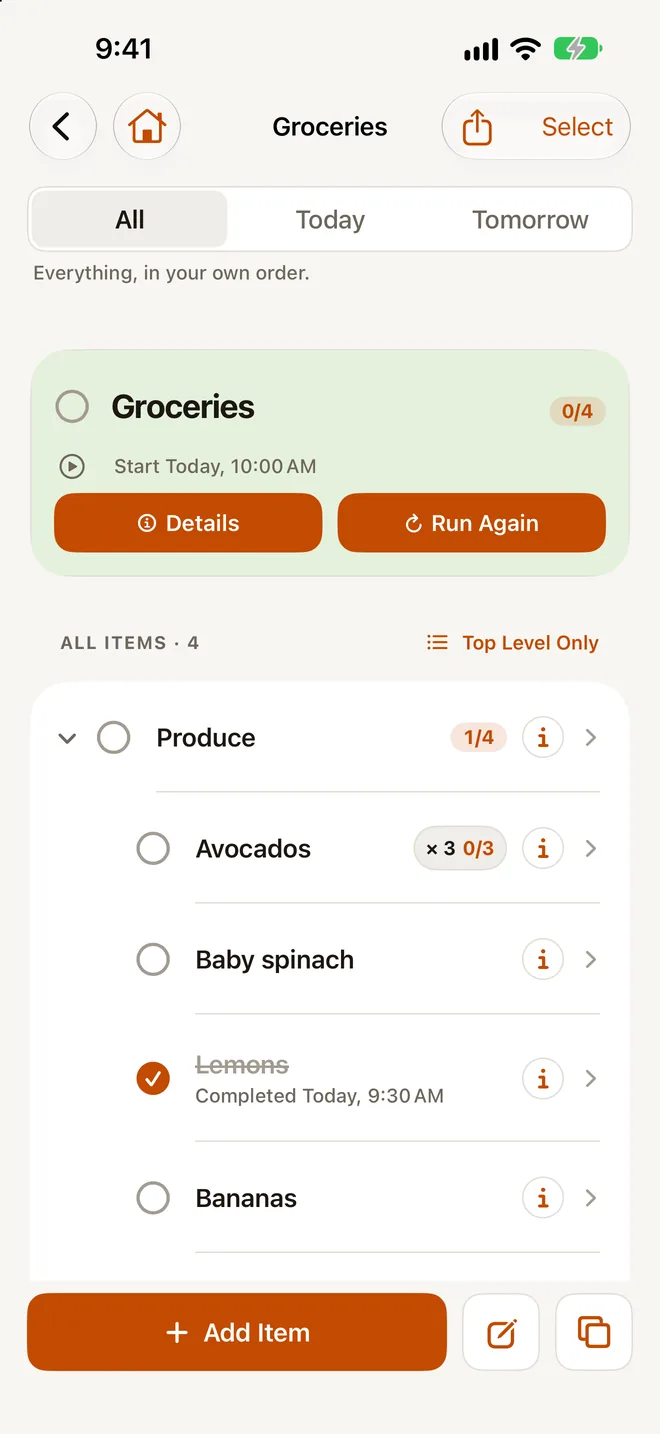
Put items under items: a trip with its packing, a move with its rooms, a launch with its steps. Every list shows how much is done, at every level.
Return adds the next item. Mark things open, in progress or done. See the whole outline at once, or drill in one level at a time. Color-tag rows and filter by color.
Free lists go 2 levels deep, items and their sub-items. Premium nests as deep as you like.
Full outline
The whole list on one screen.
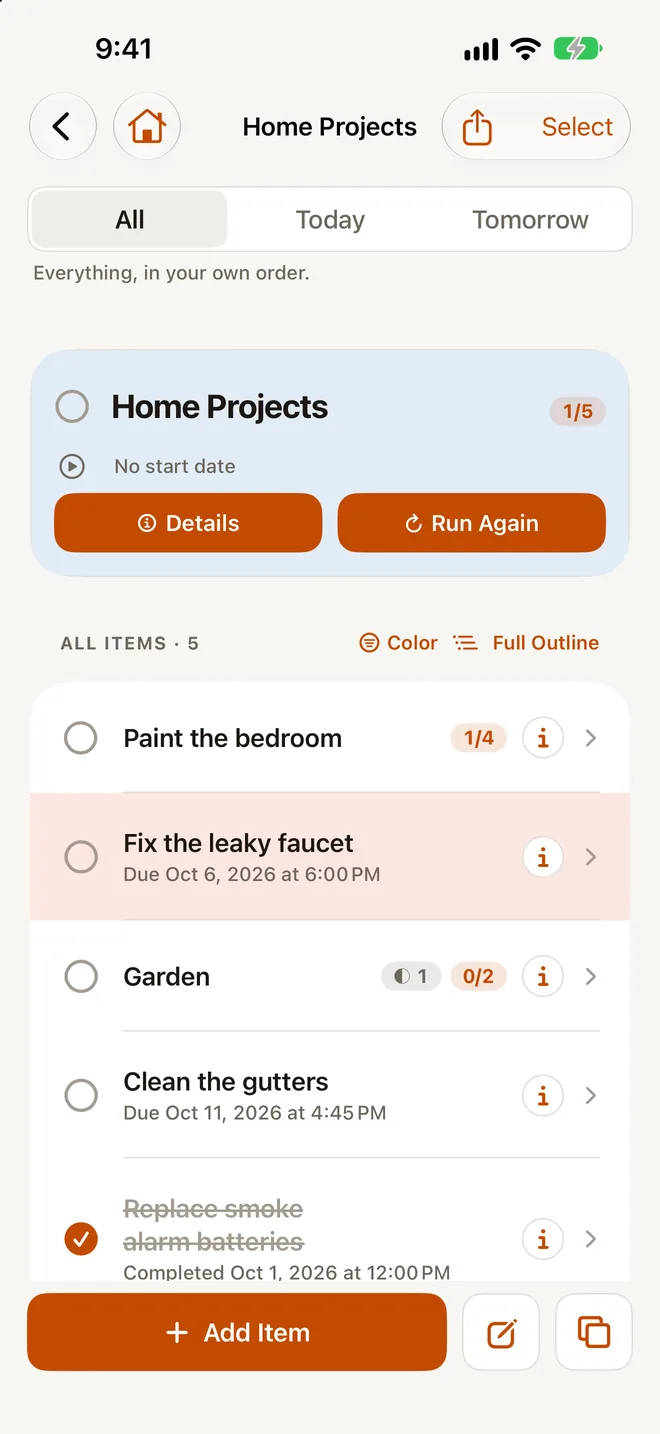
Full Outline shows every level inline, with indents. Check things off, reorder and nest right there.
Swipe to nest, move, delete or finish an item. On iPad and Mac, drag items between lists.
Plan today and tomorrow
Dates when you want them. Not when you don’t.
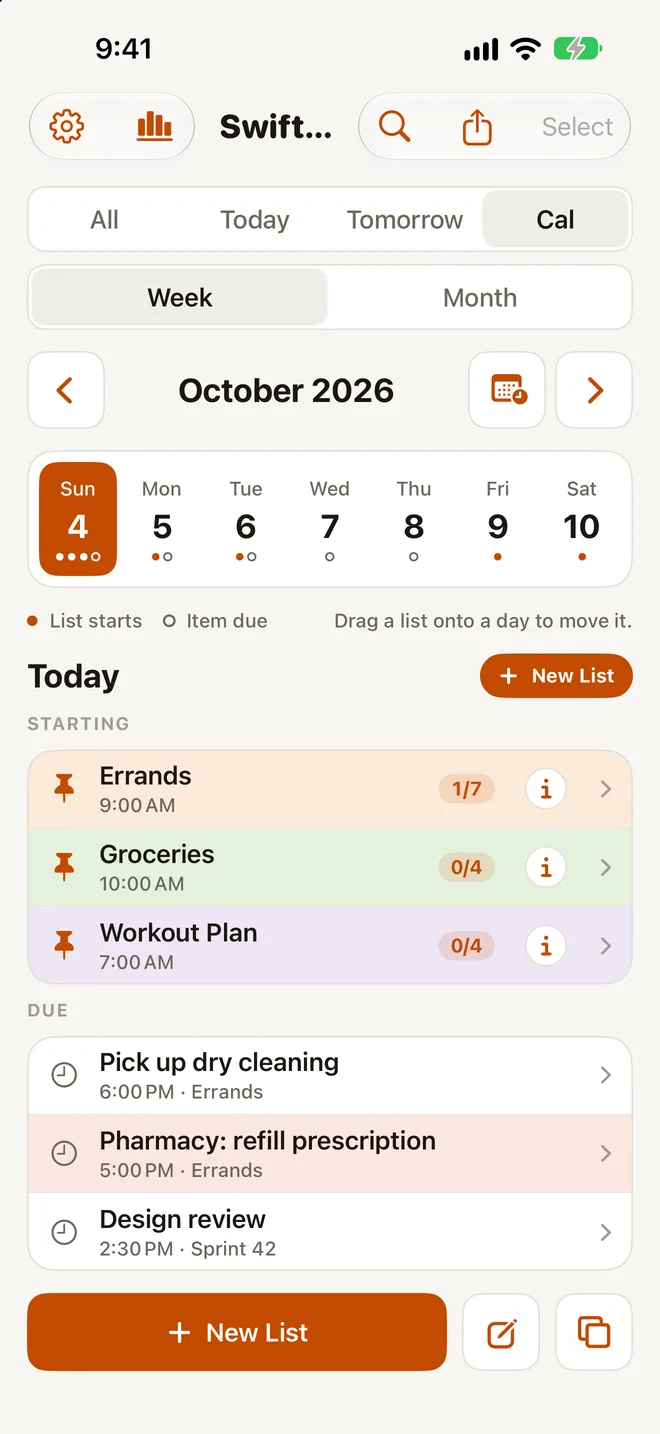
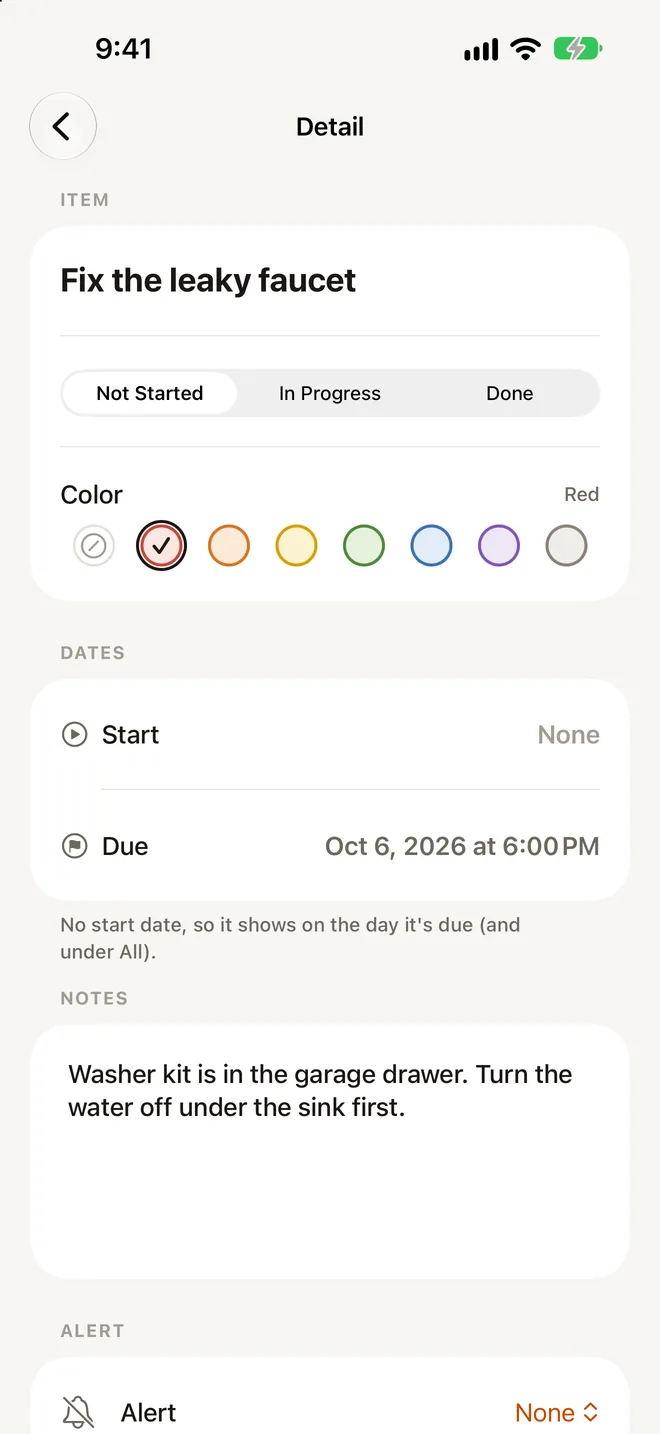
Give a list or an item a start date, a due date, or neither. Today shows what starts or is due, plus anything overdue.
A calendar with week and month views. Drag a list to another day and everything in it moves along.
Alerts let you mark an item done or snooze it right from the notification. Send items to Apple Reminders when you want them there too.
Run it again
Do the weekly reset once. Reuse it forever.
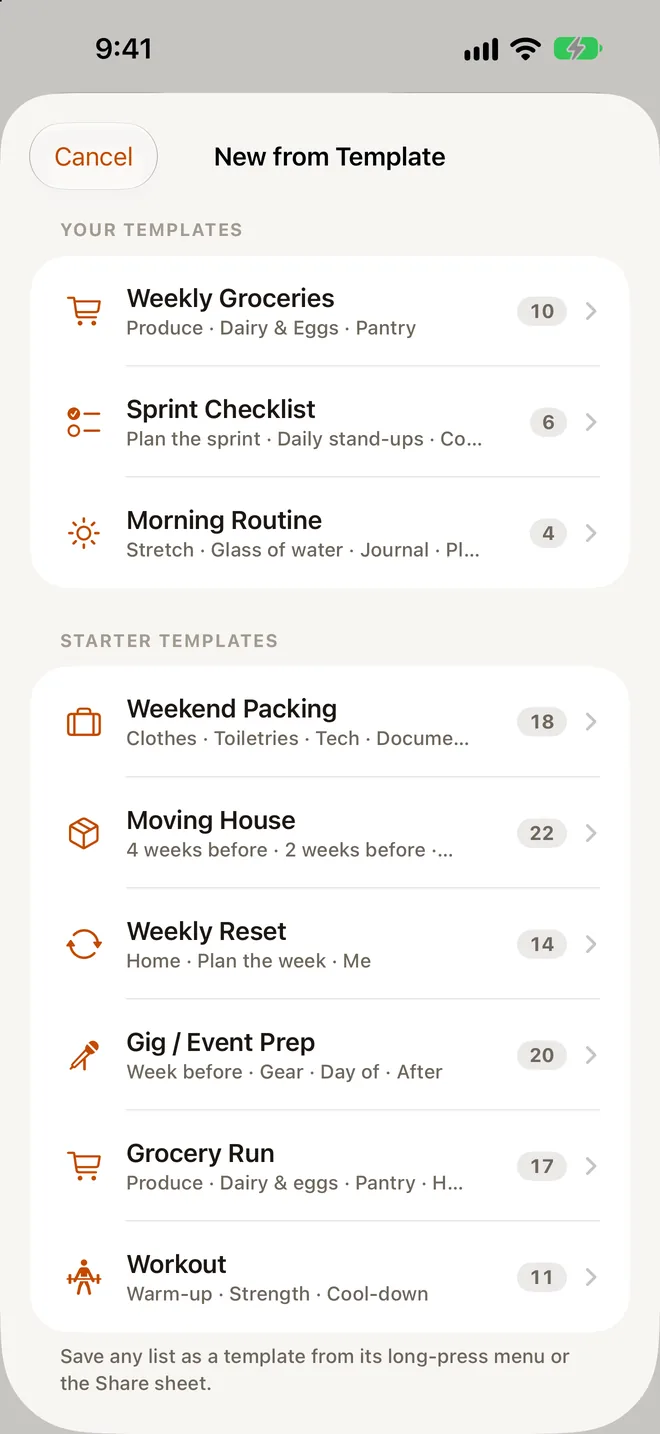
Start from six templates: packing, moving, a weekly reset, gig or event prep, groceries and workouts. Save your own lists as templates too.
When a list is finished, Run Again clears every check so it’s ready for next time. Group and archive lists so the ones you use stay up front.
Capture
From paper, photos and your voice.
Scan a paper list with the camera, or pick a photo of one, and SwiftList turns it into a checklist, indents included.
Attach photos to items, with Live Text, and record voice memos. With Premium, memos get transcripts made on the device, and search looks inside photos and transcripts.
Add items from the share sheet, Siri and Shortcuts, widgets, and a Control Center button on iPhone. Share a list with AirDrop or Messages, or export it as text.
Monthly Insights
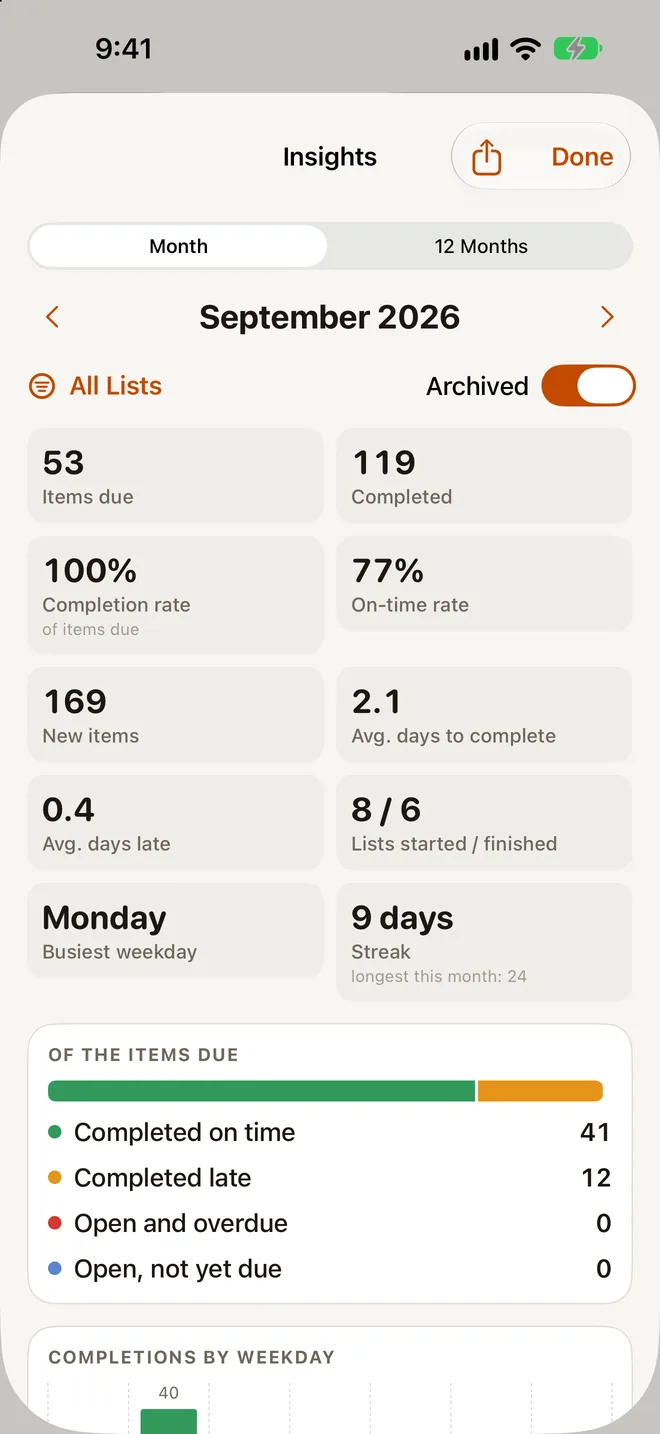
See how your month went.
What was due, what you finished, and whether it was on time, with a 12-month trend, your busiest weekday and your streak. Export it as PDF or CSV. Premium.
iPad
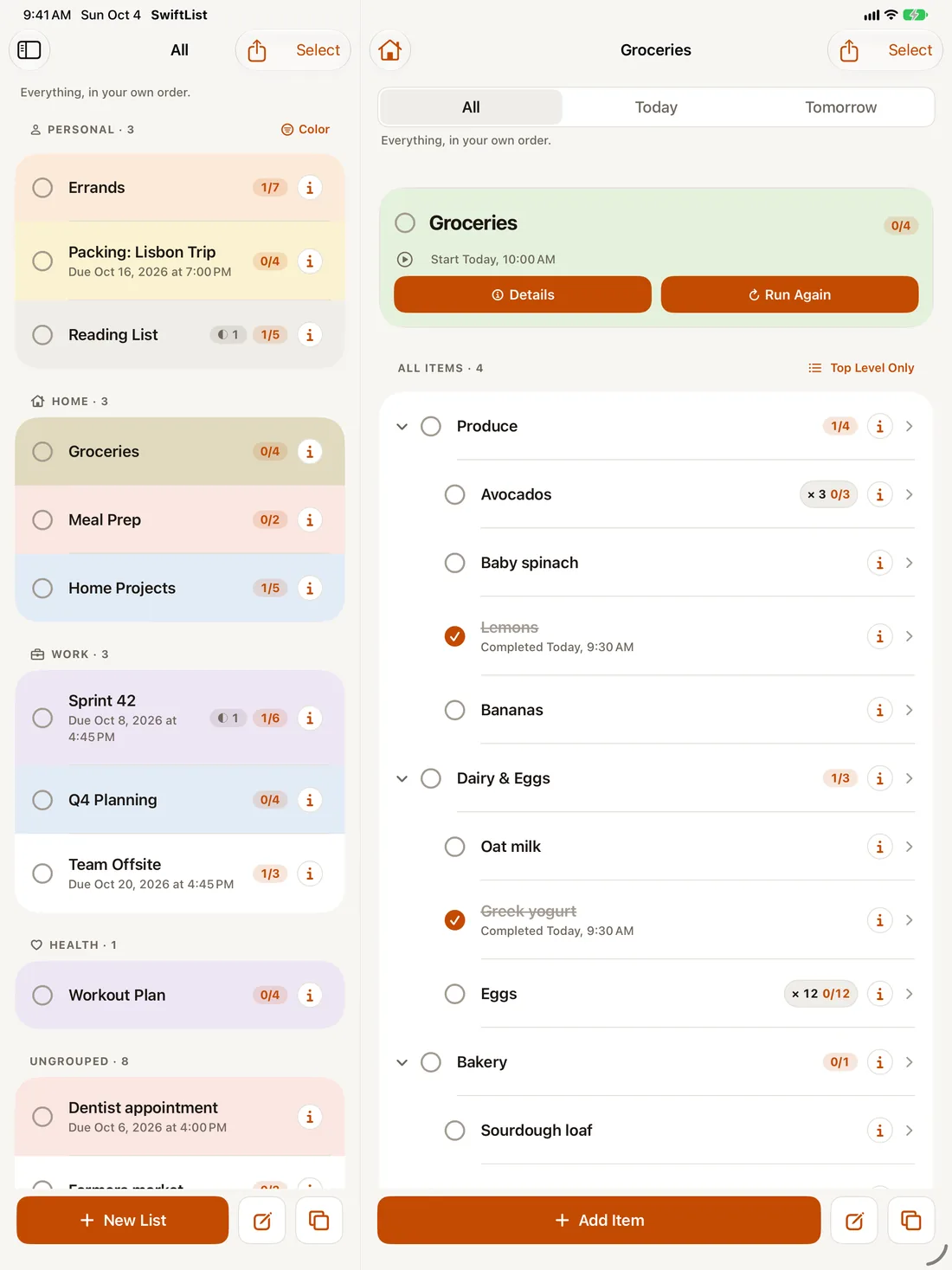
Room to see more.
A sidebar and split view, keyboard shortcuts, and drag and drop between lists. Works in Split View, Slide Over and Stage Manager.
Mac
One click away, in the menu bar.
SwiftList lives in your Mac menu bar, so your lists open over whatever you’re working on. Open it at login, and show it in the Dock too if you like. Keyboard first: ⌘N for a new list, ⇧⌘N to add an item, ⌘F to search.
With Premium, pop it out into a full window with a sidebar, and use a global Quick Add shortcut, ⌃⌥⌘N, from any app.
Privacy
Your lists are shared with your devices. That’s it.
SwiftList has no account and no analytics, and WithyWork runs no server for it. A list leaves your device only when you sync through your own iCloud or share it yourself. Details are in the privacy policy.
Stored on your devices.
Your lists live on your iPhone, iPad or Mac. No account to make, nothing to sign in to.
Synced through your own iCloud.
With Premium, lists sync through your private iCloud database. That is your iCloud, not ours. We cannot open it.
No server of ours. No tracking.
WithyWork runs no server for SwiftList. No analytics, no ads, no tracking. Text in photos and voice memos is read on the device.
Price
Free to start. Premium when you want more.
Free
$0
- Up to 3 active lists. Archived lists don’t count.
- Unlimited items, 2 levels deep: items and their sub-items.
- Dates, alerts, the calendar, Siri and the share sheet.
- The Today widget on iPhone, and the menu bar app on Mac.
- All six starter templates and 1 of your own.
- 10 photos, 3 paper-list scans and 3 voice memos.
- On one device.
Nothing you make is ever taken away. If you have more than the free limits, everything stays visible and editable. Only adding more needs Premium.
Premium
$0.99 a month
or $9.99 a year, with a 7-day free trial for new subscribers, or $24.99 once for life.
- Unlimited lists, nesting, templates, photos, scans and voice memos.
- iCloud sync across iPhone, iPad and Mac.
- On-device transcripts for voice memos, and search inside photos and transcripts.
- Monthly Insights with PDF and CSV export.
- A widget for any list, and Lock Screen widgets.
- On Mac, the pop-out window and a global Quick Add shortcut.
- Accent themes and app icons.
One purchase covers iPhone, iPad and Mac.
Prices in US dollars; the App Store shows your local price. Subscriptions are billed by Apple and renew automatically unless cancelled at least 24 hours before the end of the period. Manage or cancel them in your Apple Account settings.

Had SwiftList before?
Welcome back.
SwiftList 2.0 is an update to the app you already have, not a new one to find. Your lists move over the first time you open it. And because you were here first, Premium is yours at no cost on the device where they move over. Thank you for waiting.
SwiftList on Mac · MCP
Let an AI assistant work with your lists. On your Mac.
MCP, the Model Context Protocol, is an open standard that lets an AI assistant, such as Claude, use tools on your computer. SwiftList for Mac includes a local MCP server, so an assistant you connect can read your lists and, only if you allow it, add and update items. It comes with SwiftList from the App Store.
Local only.
The MCP server runs on your Mac and only accepts connections from your Mac. Nothing is opened to the internet, there is no public link, and there is no WithyWork server in between.
Changes off by default.
Out of the box an assistant can only read. Adding and editing wait until you turn on Allow changes. Deleting is a separate switch, also off. Every request shows up in the app’s activity log.
Your lists stay yours.
SwiftList sends nothing off your devices for this. The assistant reads from the copy already on your Mac, and your lists still sync only through your own iCloud.
Worth knowing. SwiftList keeps your lists on your devices. If the assistant you connect runs in the cloud, it may send what it reads to its own service, under that service’s privacy terms. Only connect assistants you trust with your lists, and leave changes off until you want them.
Questions.
Do I need an account?
No. SwiftList has no sign-up and no login. Open it and start a list.
Where are my lists stored, and can you see them?
On your devices. With Premium they also sync through your own private iCloud database, which WithyWork cannot read. We run no server for SwiftList, so your lists never reach us.
What is free, and what does Premium add?
Free covers up to 3 active lists, nested 2 levels deep, on one device, with the Today widget and the Mac menu bar app. Premium adds unlimited lists and nesting, iCloud sync, Monthly Insights, more widgets and the full Mac app, for $0.99 a month, $9.99 a year or $24.99 once.
I used the original SwiftList. What happens to my lists?
SwiftList 2.0 is an update to the same app. Your lists move over the first time you open it, and Premium is yours at no cost on the device where they move over.
Can AI assistants use my lists?
On a Mac, yes, if you set it up. SwiftList for Mac includes a local MCP server that lets an assistant such as Claude read your lists, and update them only after you turn on changes. It runs on your Mac only, and SwiftList sends nothing off your devices. A cloud-based assistant may send what it reads to its own service.